
Fiber Optic Cabling Installation: Best Practices
Fiber optic cabling installation needs controlled cable handling, a suitable termination system and test results that demonstrate the finished link meets its design. A cable can look undamaged and still carry excess loss from a tight bend, poor connector cleaning or an overloaded pull.
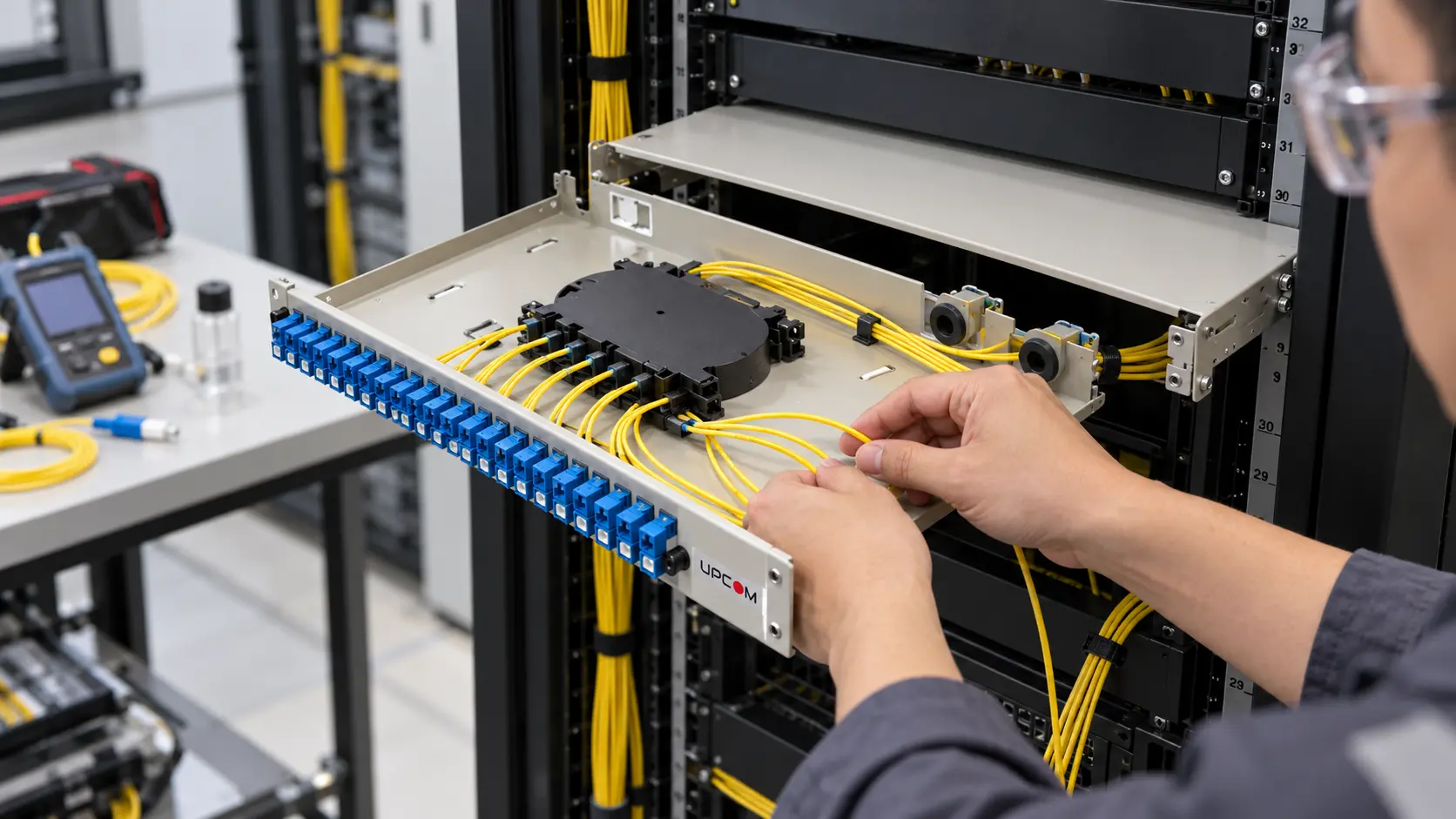
Plan Fiber Optic Cabling Installation Around the Route
Start with the route and the project acceptance requirements. An indoor riser, an outdoor duct and an exposed aerial span place different demands on the cable. Confirm the environment, pathway capacity, access points, installation method and termination locations before ordering the drum.
Confirm the cable construction
Check fiber type and count, jacket material, water protection, mechanical ratings and the intended application. Use the UPCOM fiber optic cable range to shortlist constructions, then confirm the exact product datasheet.
Define the finished link
Record cable length, splice locations, connector type and polish, fiber allocation, identification scheme and test limits. Reserve space for the panel, cable glands, strain relief and future access.
The difference between tight-buffered and loose-tube cables affects preparation and termination. For building routes, also confirm the required fire performance and installation conditions; review the CPR cable guide alongside the project specification.
Choose the installation method before mobilizing the crew. If the route calls for air-assisted installation, use the separate fiber optic cable blowing guide for duct preparation, compressor selection and machine setup.
Fiber Optic Cable Handling Before and During Installation
Check the drum on arrival. Match its identification and length to the order, inspect the flanges and jacket for transport damage, and keep the cable ends sealed against moisture and contamination. Follow the supplier's storage orientation and temperature limits.
- Use a drum stand and spindle rated for the loaded reel. Control rotation so the cable feeds smoothly without overrunning.
- Pay cable off in the supplier's specified direction. Avoid pulling loops over a stationary flange, which can introduce twisting.
- Protect the cable from dragging, sharp edges, vehicle traffic and uncontrolled drops.
- Use suitable rollers at direction changes. Maintain the installation bend limit throughout the route, including the short section at the reel and pulling equipment.
- For staged handling, use a clean, protected figure-eight arrangement or approved storage equipment rather than a tight pile of coils.
Keep the product limits with the crew. Installation tension, bend radius, crush resistance and temperature range belong on the job sheet. A specification stored only in the purchasing team's inbox cannot guide the installer at a difficult bend.
Pulling Force and Bend Radius in Fiber Optic Cabling Installation
Pulling requires force. The objective is to keep the applied load within the cable's permitted installation limit, not to achieve a pull with zero tension. Use the attachment method approved for that cable: strength-member attachment or a suitable jacket grip where the manufacturer permits it. A preterminated cable needs protection designed for its connectors.
| Control | What to verify | Action on site |
|---|---|---|
| Maximum pulling load | Permitted load and approved attachment | Monitor tension; stop and investigate rising resistance instead of adding force. |
| Installation bend radius | Minimum radius while the cable is loaded | Select rollers and entry guides by radius, including at intermediate access points. |
| Installed bend radius | Minimum radius after placement | Check service loops, tray corners, cabinet entries and the final cable dressing. |
| Support and restraint | Support intervals, vertical load and cable fixation | Prevent sagging, unsupported weight and tight ties that deform the jacket. |
Read radius and diameter correctly. If the selected datasheet specifies an installation radius of 20 × cable OD, a 10 mm cable requires a 200 mm bend radius. A guide following a circular path would therefore need at least 400 mm diameter. This is a worked example of that stated limit, not a universal rating for every fiber cable.
Use a compatible pulling lubricant only when the cable and pathway suppliers approve it. Stop for a jam, damaged roller, sudden load increase or jacket scuffing. Once installed, secure the cable without crushing it and assess any metallic armor or strength-member bonding under the project's electrical design.
Termination, Patch Panels and Connector Cleaning
Secure the incoming cable before working on the fibers. The gland, cable clamp and strength-member fixation should carry the appropriate cable loads; the splice cassette and pigtails should not carry the weight of an unsupported cable.
Select fiber optic patch panels by rack or wall mounting, adapter type, fiber count, splice capacity, cable entry and service access. Leave enough room to open a drawer or enclosure without stretching the fibers. Route pigtails in the intended guides and retain their specified bend radius with the panel both open and closed.
Inspect, clean, inspect again
Inspect connector end faces using suitable inspection equipment, clean with the approved tools when contamination is present, then reinspect before mating. A dust cap protects an end face but does not prove it is clean. Keep test leads clean too; a contaminated reference lead can affect the measurement and contaminate another connection.
Verify connector type and polish before patching. Do not mate APC and UPC interfaces. For an overview of attenuation and connection problems, see the fiber optic loss guide.
Protect the installer as well as the fiber. Verify that a fiber is dark with appropriate test equipment before optical inspection. Do not look into a connector. Use suitable eye protection and collect cleaved fiber scraps in a dedicated closed container; keep food and drinks away from the preparation area.
Service Loops and Cable Identification
A service loop is a planned reserve of cable for access, repair or rerouting. It can be part of a fully terminated and operating link. The reserve should be accessible and supported; it should not obstruct ventilation, doors, other equipment or the patch panel's moving parts.
Set the reserve length from the maintenance task: reaching a safe splice position, opening a cabinet or replacing a termination. There is no single correct number of meters for every project. Respect the cable's installed bend limit and the enclosure's storage capacity.
Label cable ends, panels, ports and splice locations using the same identifiers as the drawings and test records. Keep labels readable after the cabinet is closed and the cables are dressed. Record spare fibers separately from spare cable length; they solve different future requirements.
Acceptance Testing for Fiber Optic Cabling Installation
A continuity check alone does not demonstrate that a finished link meets its optical loss budget. Agree the test method, wavelengths, reference procedure and acceptance limits before installation. Use suitable, calibrated equipment and record which reference leads and settings were used.
End-to-end insertion loss
A light source and power meter, or an optical loss test set (OLTS), measures the link's insertion loss. Compare each result with the project's calculated loss budget and acceptance limit.
OTDR trace and event checks
An OTDR helps locate events, assess splices and investigate faults when specified. Select appropriate launch and receive leads and settings. An OTDR trace does not replace the required end-to-end loss measurement.
Verify fiber identity and polarity, inspect the finished connectors, and investigate unexpected loss before closing the job. Follow the contract's requirements for testing direction, wavelengths and trace analysis; do not apply one generic pass threshold to every link.
For testing and documentation guidance, refer to the FOA installation standard. The project's specification and applicable local requirements determine the acceptance criteria.
Fiber Optic Cabling Installation Handover Checklist
- Inspect the route: check cable support, exposed sections, bend limits, entry seals and any required fire stopping.
- Check terminations: verify cable fixation, splice management, clean connectors, labels and service access.
- Reconcile every fiber: match installed fiber allocation and port identifiers to the final drawings.
- Review acceptance results: resolve failed or unexplained readings and retain the original measurement files.
- Deliver the records: provide as-built drawings, cable and drum identifiers, splice schedules, test reports and photographs of accessible terminations.
This is also where installation planning affects commercial results: repairs, repeat visits and missing test records consume margin after the cable has already been installed. For route and labor budgeting, use the separate fiber optic cable installation cost guide.
Fiber Optic Cabling Installation FAQ
Can fiber optic cable be pulled without tension?
A pull applies tension. Use the cable manufacturer's permitted installation load and approved pulling attachment, monitor the force and stop when resistance is abnormal. Do not pull on connectors or unsupported fibers.
How much cable should be left in a service loop?
Enough for the planned maintenance and access task, within the cable's bend limit and the enclosure's storage space. Specify the reserve for each location rather than applying one fixed length throughout the network.
Is an OTDR test enough for final acceptance?
Follow the project test plan. End-to-end insertion loss is measured with a source and power meter or OLTS. OTDR testing provides additional event and fault-location information when required; it does not replace that loss measurement.
Do capped connectors still need inspection?
Yes. A cap does not establish that an end face is clean. Inspect, clean when necessary and reinspect before connection, using equipment suitable for the connector and the optical safety conditions.
Specify the cable and termination together
Send UPCOM the route environment, fiber type and count, required jacket or fire class, installation method and panel capacity. We can review a cable and termination configuration against those project requirements.
Technical references
Use the selected cable and hardware datasheets for product-specific limits. This guide supports installation planning; equipment procedures, project specifications and applicable local requirements govern the work.