
Soundproof Server Cabinet Selection: Avoid Heat Problems
Soundproof server cabinet selection starts with the installed heat load, usable equipment depth and the hottest expected room temperature. U height alone cannot confirm whether an acoustic rack will ventilate a server, UPS, switches and power equipment safely.
For offices, clinics, branches, reception areas and other occupied indoor spaces, specify the equipment list first. Then match it to the cabinet depth, thermostat-controlled fan package, rack capacity and indoor protection suitability.
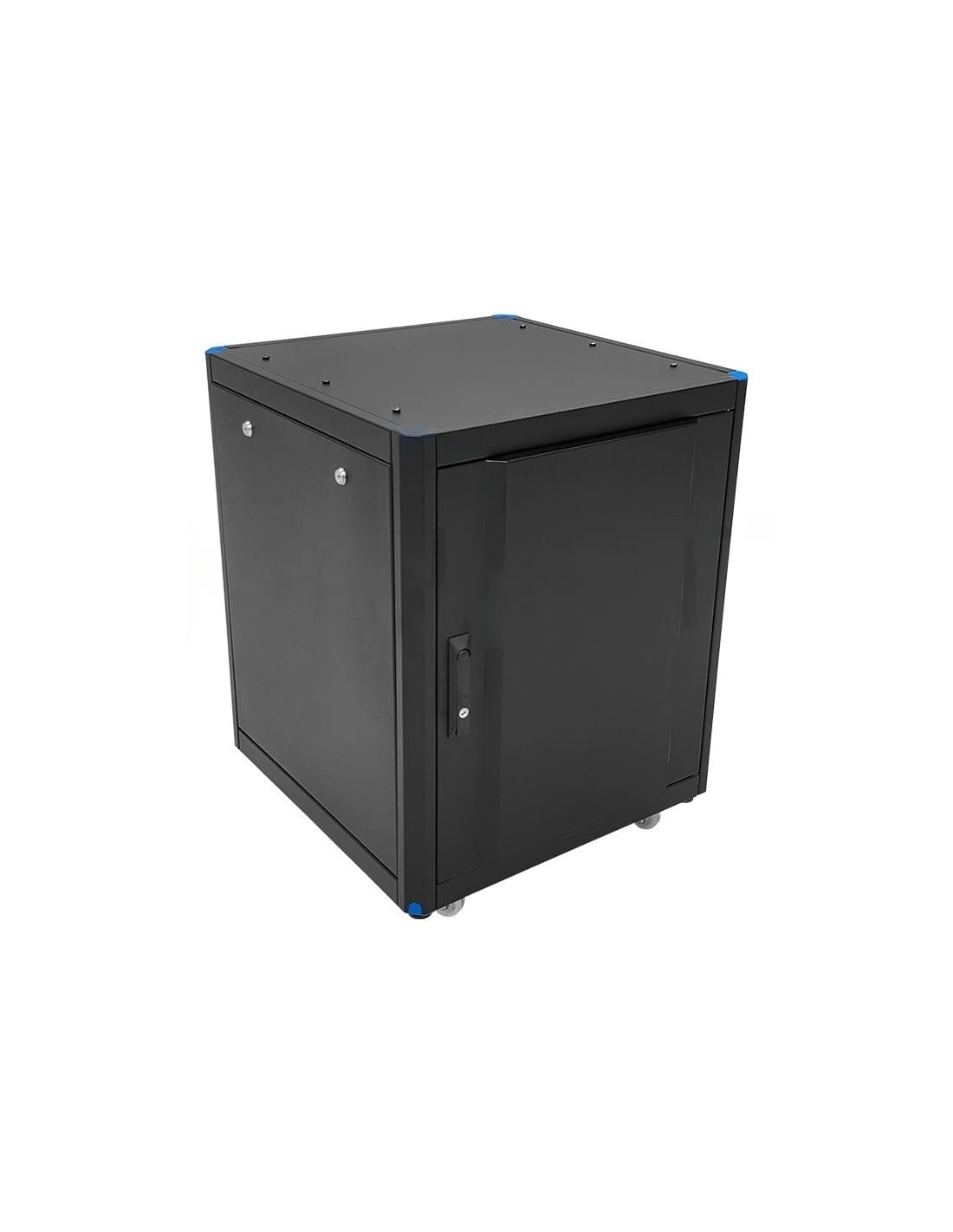
Choose the acoustic enclosure only after confirming six inputs: heat load, usable depth, ambient temperature, fan package, U height and installation environment. A cabinet can reduce audible equipment noise and still be wrong for the hardware if airflow or clearance is insufficient.
Soundproof Server Cabinet Selection: Quick Rule
A soundproof rack is appropriate when active IT equipment must operate in a shared, noise-sensitive indoor area. It is not automatically the right choice for a dedicated server room, dusty production area, damp location or outdoor telecom site.
Begin with the servers, UPS units, switches, storage, firewalls and rack PDU. Record their dimensions, installed weight and power demand. Select depth and U capacity from that list, then ask the cabinet supplier to verify ventilation at the expected maximum room temperature.
Equipment list → heat load → deepest device → airflow clearance → ambient temperature → fan package → growth allowance → final U height.
How Acoustic Rack Cabinets Work
Acoustic rack enclosures combine sound-absorbing lining with ventilation to reduce equipment noise in occupied indoor spaces. The Schneider Electric NetShelter CX brochure illustrates this construction with acoustic lining and ventilation fans. These are documented features of the named product, not specifications for UPCOM cabinets.
Noise Reduction Requires Stated Measurement Conditions
A noise-reduction figure applies to a defined test setup. The cited brochure states the measurement distance and the equipment used as the noise source. For comparisons, request the measurement distance, equipment operating load, fan configuration, background noise and the acoustic quantity reported. Compare results only under equivalent conditions.
Rack Capacity and Cooling Capacity Are Separate
Rack-unit capacity describes mounting space; it does not establish permitted heat load. Schneider Electric publishes configuration-specific thermal limits for NetShelter CX. Those figures apply to those products and must not be transferred to UPCOM cabinets. Request documented thermal capacity for the proposed cabinet, fan package, room temperature and installation clearances.
Calculate Cabinet Heat Load Before Choosing the Rack
Acoustic lining and a more controlled airflow path reduce direct noise escape, but they also make ventilation design more important. If the fan package cannot remove the installed heat, internal temperature rises. Server fans may then run faster, increasing noise and reducing the benefit of the enclosure. Persistent high temperature can also shorten component life or cause thermal throttling and shutdowns.
Build a realistic equipment load
List each installed device and its expected electrical draw. Include servers, switches, storage, UPS conversion losses, PDU metering electronics and any internal monitoring devices. Nearly all electrical energy consumed by IT equipment ultimately becomes heat inside the room.
Avoid false precision
Nameplate ratings can overstate normal consumption, while average readings can understate peak demand. Use measured peak data where available and identify any planned additions. Do not double-count redundant power supplies as two simultaneous full loads unless the operating design requires it.
Do not apply one fixed kW limit to every soundproof cabinet. Thermal capacity changes with cabinet size, fan-module configuration, equipment resistance, cable density and room temperature. State the calculated load in the RFQ and request written confirmation of the proposed configuration.
A cabinet that is quieter but runs hotter is not a successful installation. If the expected load cannot be supported with adequate thermal margin, use a different ventilation package, reduce the load density or move the equipment to a conventional server-room cabinet.
Usable Depth, U Height and Installed Weight
External cabinet depth is not the same as usable equipment depth. The server chassis must fit between the mounting rails while leaving space for front patching, rear power plugs, cable bend radius, door closure and exhaust airflow. Sliding rails and cable-management arms can require additional clearance.
UPCOM SoundProof Cabinets are offered in 650, 800 and 1000 mm depth options. Available rack heights are 12U, 15U, 19U, 26U, 32U, 36U and 42U, with up to 400 kg distributed load capacity. The correct model still depends on the exact equipment geometry and weight distribution.
Usable depth
Check the deepest chassis, rail position, connector projection, cable radius and rear service access. Provide device model numbers when possible.
Rack capacity
Add occupied U, spacing needed for airflow or service and a controlled growth allowance. Do not fill every available rack unit on day one.
Distributed load
Add the weight of equipment, UPS batteries, shelves and accessories. Confirm that the final distribution remains within the quoted cabinet rating.
For a wider explanation of rack dimensions and U measurement, use the 19-inch rack cabinet dimensions guide. If the installation is in a conventional technical room, compare the acoustic option with a standard 19-inch server rack cabinet.
Match the Fan Package to Ambient Temperature
UPCOM acoustic cabinet configurations use one or two quiet fan modules with digital thermostat control, depending on the model. The product range is intended for indoor conditions around 0°C to +40°C. These figures describe the cabinet range; they do not replace a thermal check for the installed equipment.
Use the hottest expected room temperature at the cabinet intake. Consider solar gain through nearby glazing, seasonal HVAC setbacks, restricted corners and after-hours operation. A cabinet that is acceptable at 22°C may have much less thermal margin if the room reaches 35°C.
Ask for confirmation of the fan-module quantity, fan arrangement, thermostat control, airflow direction and suitability for the stated load and ambient temperature. If a noise target is specified, include the measurement distance, room condition and equipment operating state.
Soundproof Rack, Standard Server Rack or IP-Rated Cabinet?
The installation environment determines the cabinet family. The acoustic premium is justified when reducing equipment noise in an occupied indoor area has real value. It is usually unnecessary in a dedicated server room and unsuitable for weather exposure.
| Cabinet type | Best fit | Main benefit | Main selection risk |
|---|---|---|---|
| Soundproof server cabinet | Office, clinic, branch, reception or shared indoor workspace | Reduced perceived equipment noise with secure 19-inch enclosure and controlled airflow | Overheating if heat load, ambient temperature or fan package is not verified |
| Standard server rack | Dedicated server room or technical room | Simpler airflow path, broader configuration range and lower acoustic premium | Equipment noise remains audible if the room is occupied |
| Outdoor or IP-rated cabinet | Dusty, damp, semi-outdoor or outdoor telecom environment | Environmental protection and project-specific cooling options | Using an indoor acoustic enclosure where dust, water or weather protection is required |
If environmental exposure is uncertain, compare the protection classes in the IP55 vs IP66 cabinet guide. For sealed field installations with active cooling, review the outdoor telecom cabinet with air conditioner.
Compatibility, Standards and Indoor Suitability
Verify 19-inch mechanical compatibility, mounting-rail geometry, usable depth, load distribution, ventilation and power layout. IEC 60297-3-100 is the relevant external reference for the basic dimensions of 19-inch front panels, subracks, chassis, racks and cabinets.
Room temperature must also remain within the requirements of the installed IT hardware. The official ASHRAE thermal guideline reference card provides recognised environmental guidance for air-cooled data-processing equipment.
- Mechanical fit: confirm rail spacing, chassis depth, slide rails, door clearance and cable routing.
- Power fit: confirm socket type, input plug, PDU mounting and UPS cable layout. The rack PDU socket guide covers common outlet and mounting choices.
- Ventilation fit: keep intake and exhaust paths clear after patch cords, power cables and shelves are installed.
- Acoustic expectation: cabinet performance depends on equipment fan speed, installed load and room conditions. A noise figure is meaningful only with a defined test method.
- Indoor use: do not assume an IP rating unless it is stated in the quotation. Select an outdoor or IP-rated family for dust, moisture or weather exposure.
Soundproof Server Cabinet RFQ Checklist
- Installation area: office, clinic, branch, reception, retail back office or technical room.
- Equipment list: manufacturer, model, quantity and rack-unit demand.
- Thermal load: measured or calculated peak load in watts or kW, including UPS losses.
- Ambient condition: normal and maximum expected room temperature.
- Depth: deepest chassis plus connectors, cable radius and service clearance.
- Rack height: occupied U, working space and planned expansion.
- Installed weight: all equipment, batteries, shelves and accessories.
- Fan package: supplier to confirm module quantity and thermostat configuration.
- Noise target: measurement distance and operating condition, if a target is mandatory.
- Power layout: UPS, PDU type, input power and cable route.
- Accessories: shelves, cable managers, brush panels, locks and monitoring.
- Commercial data: quantity, destination, Incoterm, packing preference and required delivery date.
A complete RFQ reduces revision cycles and makes quotations comparable. Cabinet height, depth, fan configuration, door finish, accessories, packing volume and destination all affect the final price and landed cost.
Prepare the Cabinet and Power Layout Together
Send the equipment list, heat load, deepest device, room temperature, target U height and destination in one RFQ. UPCOM can then match the acoustic cabinet, fan package and rack power distribution requirements to the same installation.
Soundproof Server Cabinet FAQ
How do I calculate heat load for a soundproof server cabinet?
Add the expected electrical consumption of the installed servers, switches, storage and other active equipment, then include UPS conversion losses and internal accessories. Use measured peak demand where available and state both the total load and maximum room temperature in the RFQ.
Can I choose an acoustic rack by U height alone?
No. U height confirms vertical capacity only. You must also verify usable depth, connector and cable clearance, installed weight, airflow path, equipment heat load, ambient temperature and fan-module configuration.
Which UPCOM SoundProof Cabinet sizes are available?
The listed range includes 12U, 15U, 19U, 26U, 32U, 36U and 42U models with 650, 800 or 1000 mm depth options, depending on model. Confirm the exact part number and dimensions in the quotation.
Will a soundproof server cabinet overheat?
It should not overheat when the heat load, room temperature, airflow resistance and fan package are correctly sized. Risk increases when the cabinet is selected by U height alone or when cables and accessories obstruct the airflow path.
Can a soundproof cabinet be used outdoors?
No. This acoustic cabinet family is intended for indoor use. Select a suitable IP-rated outdoor cabinet when the installation is exposed to dust, moisture, rain or uncontrolled external conditions.
What information is required for an accurate quotation?
Provide the equipment list, calculated heat load, deepest device, occupied U, installed weight, maximum room temperature, power and PDU layout, desired noise target, quantity, destination and delivery terms.